Connect channels
Connect an agent to supported chat and work-tracking channels.
Channels let people use a Manyfold agent from the chat tools where work already happens. One channel connects one external bot/app account to one Manyfold agent, while preserving provider-specific DMs, groups, rooms, and threads.
Start by testing the agent in the Manyfold web workspace. Then choose a channel based on the conversations, files, access controls, and hosting model you need.
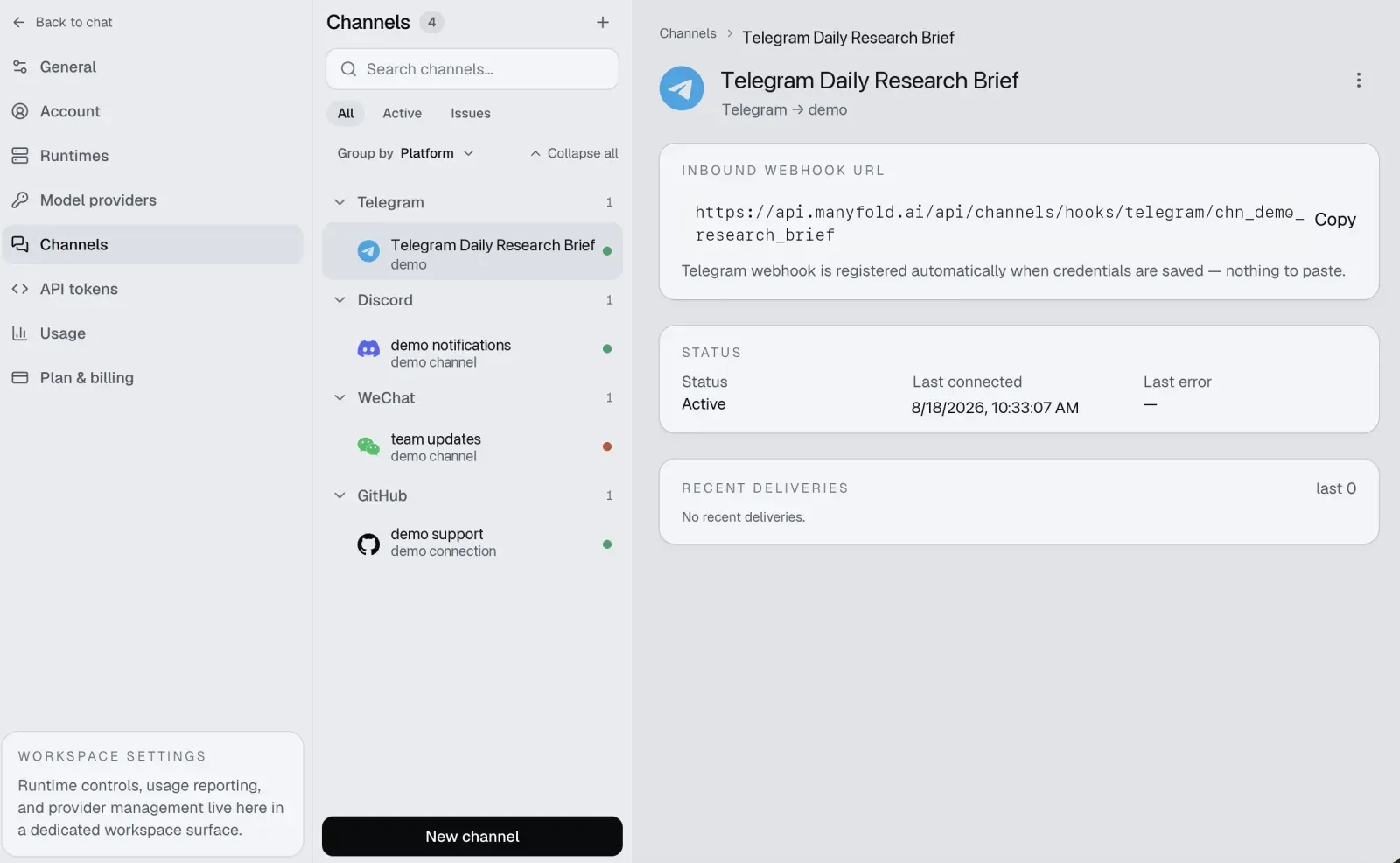
Each channel has a detail page with its inbound webhook URL, connection status, and recent deliveries.
Capability overview
| Channel | Delivery | Conversations | Files | Distinctive capabilities |
|---|---|---|---|---|
| Telegram | Secret-verified managed webhook | DMs, groups, supergroups, forum topics/replies | Inbound text/captions; explicit Agent file send | Automatic webhook and best-effort native command-menu registration; no sender/operator allowlist. |
| Slack | Signed webhook | DMs, MPIMs, channels, threads, Assistant/DM threads | Receive and send | Generated app manifest, native ephemeral slash commands, user/operator policy, auto-thread. |
| Lark and Feishu | Webhook or long connection | Private chats, groups, message threads | Receive and send | Rich-text/card rendering, CardKit streaming, history backfill, session-card buttons, user/operator policy. |
| Discord | Gateway connection | DMs, server channels, threads | Receive and send | Native commands/replies, auto-thread, history backfill, optional usage footer and fresh-final notification. |
| Matrix | Client /sync | DMs, rooms, threads | Receive and send | Self-managed homeservers, actor/operator policy, native replies, history backfill, agent-initiated sends, and media. No E2EE. |
| LINE | Secret-verified managed webhook | One-on-one chats, groups, and multi-person rooms | Inbound text, images, video, audio and files; no outbound files | Native mention marking, quoted replies in groups, one-on-one loading animation; every reply counts against the plan’s push-message quota. |
| Linked-device session | One-on-one chats and groups | Receive and send | Links an existing WhatsApp account as a device; no Business API application required. | |
| iLink long poll | Personal DMs only | Receive and send | QR-authorized personal bot, sender/operator policy, typing state, quoted context, and agent-initiated sends to users who already messaged the bot. | |
| Linear | Signed webhook | One conversation per agent session on an issue | None | Agent is a workspace member you mention or delegate issues to; thinking, tool calls and a task list show on the session; stop requests; user allowlist. |
| GitHub | Signed webhook | One conversation per issue or pull request | None | Dedicated GitHub App created for you via the manifest flow; mention it on issues/PRs or delegate with a label; live-edited progress comment; reaction acknowledgements; association gate and login allowlists. |
| Google Chat | Google-signed token webhook | Direct messages and spaces | Inbound files only; no outbound files | Native mention marking; one session per thread, nested under the message that started it; audience must match the Chat API console; one write per second per space, so replies default to final-only. |
| Microsoft Teams | Bot Framework token webhook | Personal chats, group chats, and team channels | Inbound files in personal chats only; no outbound files | Entra object-ID allowlists; one session per channel thread; live progress by message edit; channel and group-chat file contents need Graph admin consent and are not read. |
Common setup pattern
- Create a dedicated bot or app account in the external service.
- Grant only the permissions required by that channel guide.
- Open Settings -> Channels in Manyfold.
- Create a channel, select its agent, and enter the credentials.
- Configure the external event/webhook settings when required. Discord, Matrix, and Lark long connection do not need an inbound URL.
- Run Register when available, then Test.
- Test a DM, a group mention, a thread, a command, and a file if your workflow uses them.
Common conversation settings
The exact fields vary by provider, but these behaviors are shared:
| Setting | Effect |
|---|---|
| Mention only | In groups/rooms, ignore ordinary chat and respond only when directed to the bot. DMs remain direct unless a provider allowlist blocks them. |
| Share session in channel | Everyone in a group shares one agent session. Off keeps context per user unless a thread creates a narrower scope. |
| Thread isolation | Give each provider thread/topic its own agent session and keep replies there. |
| Progress: Preview | Update one live message/card while the agent works. |
| Progress: Activity | Show the live answer plus tool/thinking activity supported by the runtime. |
| Progress: Final | Do not create a live preview; send only the completed answer. |
| Send message context | Add trusted provider, sender, chat/room, thread, and message IDs so the agent knows where the turn came from. |
Provider guides describe additional settings such as Slack/Lark/Matrix actor policies, Discord/Lark/Matrix history backfill, file output, and automatic threads.
Sessions and commands
Scopes determine where conversation state lives: a DM, one user in a group, a shared group, or a provider thread. Each scope can host multiple named sessions and remembers which one is active.
All channels understand /new, /list, /switch, /current, /rename, /delete, /stop, /model, /usage, /history, and /help. Telegram, Slack, and Discord also expose native command surfaces; Lark/Feishu can render interactive session cards. See Session switching.
Agent-initiated messages
An Agent can use mf channels send to proactively message an active channel bound to itself. Text direct send supports Lark/Feishu, Telegram, WeChat, and Matrix; explicit workspace files support Lark/Feishu and Telegram. Each send targets exactly one provider chat, user, or message reply, and uses the durable delivery/retry path. See Send from an agent for commands, target IDs, file behavior, results, and rate limits.
Automation result delivery
Automations can post each run’s outcome into one of a channel’s existing conversations. In the automation’s Deliver results panel, pick a channel bound to the same agent, then pick the destination conversation — a channel, thread, or DM the bot already talks in. Thread destinations post into the thread itself, never the parent channel. If the list is empty, message the bot there once; renaming a conversation under Settings -> Channels gives it a friendly label in the picker.
Conversation destinations work on every provider, including Slack and Discord. Telegram, Lark/Feishu, WeChat, and Matrix additionally accept a custom chat or user ID. An agent reply of [SILENT] skips that run’s notification.
Files and message limits
Slack, Lark/Feishu, Discord, Matrix, and WeChat can pass supported attachments into file-capable agents. Manyfold accepts at most 10 inbound files, 25 MB per file, and 100 MB total per message. A bad attachment is skipped without discarding valid text or other files; WeChat further restricts documents to its provider allowlist.
Telegram currently passes only inbound text/captions, although an Agent can explicitly upload workspace files with mf channels send --file. Matrix media works only in unencrypted rooms and m.notice input is off by default. Check the provider guide before designing a file workflow.
Security checklist
- Use a dedicated bot/app for each agent or team workflow.
- Keep bot tokens, app secrets, signing secrets, and access tokens only in channel credentials.
- Prefer mention gating and the narrowest provider permissions that meet the workflow.
- Configure provider user/room/server allowlists where available.
- Configure operator IDs for agent-wide commands on Slack, Lark/Feishu, and Matrix; an empty operator list disables commands such as
/modelthere. - Telegram has no sender or operator list. Anyone who can reach its bot can run recognized commands, including agent-wide commands, so restrict bot and group access.
- Test in a private conversation before adding the bot to a large group.
- Review delivery logs for dropped or failed events, and pause/delete unused channels.