Matrix
Connect a Matrix bot account to a Manyfold agent.
Connect Matrix when you want an agent in direct messages, rooms, or Matrix threads on a public or self-managed homeserver. Manyfold uses the bot account’s Client-Server API access token and a long-running /sync connection; no public webhook is required.
What the channel supports
| Capability | Support |
|---|---|
| Direct messages and rooms | Yes; DMs reply freely and rooms require a mention by default. |
| Matrix threads | Yes; existing threads can be isolated and group prompts can start a thread automatically. |
| Live progress | Yes; the bot edits one Matrix message while the agent works. |
| Slash commands | Typed commands are supported; Matrix has no Manyfold-managed native command menu. |
| Files and media | Receive and send images, files, audio, and video in unencrypted rooms. |
| Agent-initiated sends | Yes; send to a room or user, or reply to a provider event recorded by this channel. |
| End-to-end encryption | No; the REST provider records encrypted events as dropped. See ADR-0012. |
Prerequisites
- An existing Manyfold agent.
- A dedicated Matrix bot account.
- The bot account’s homeserver URL and access token.
- An unencrypted DM or room.
Set it up
Matrix set up
-
Open Try Matrix and choose Open Element Web. Element runs in the browser, so there is nothing to install, and the account is created on the
matrix.orghomeserver.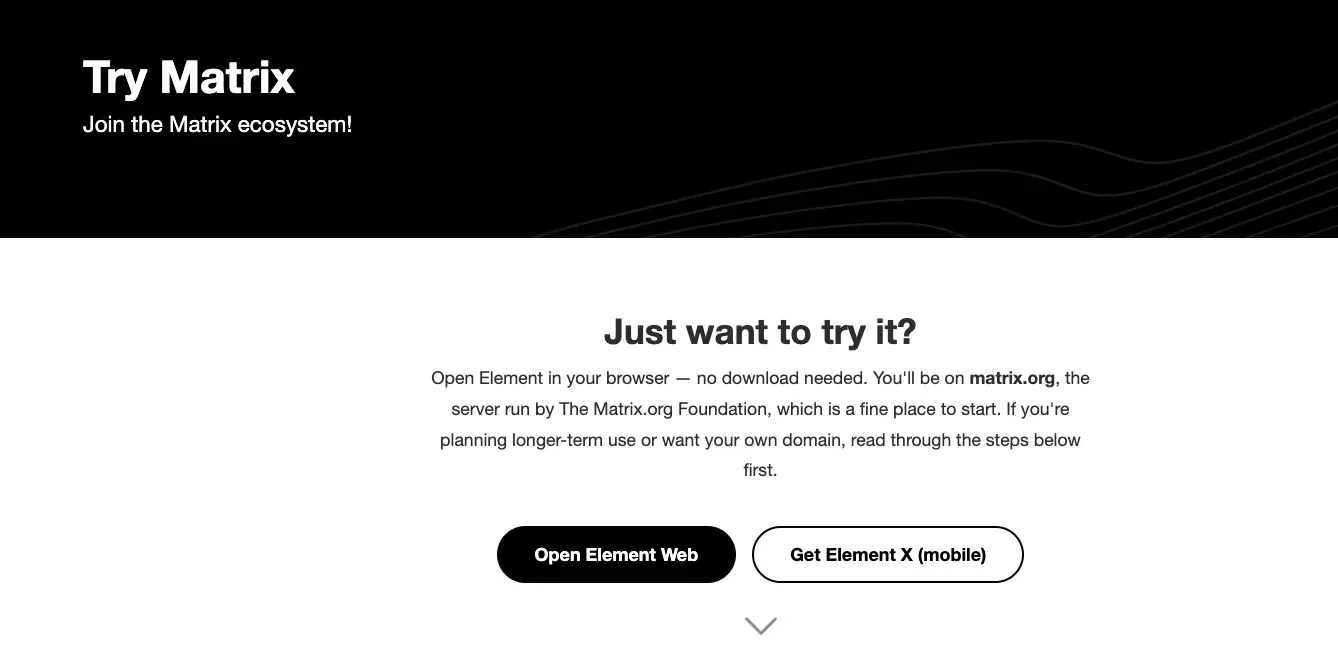
-
Register the account. Matrix is federated the way email is: an account lives on a homeserver and is written
@username:server. Registering through Element puts it onmatrix.org, which is free and the quickest way to start; its limits are 10 MB per attachment and 100 MB of traffic per day. Managed hosting and self-hosting are the alternatives when you want your own domain or full control of the data.A bot account is an ordinary account. Matrix has no separate bot account type, so a bot account is a normal account you reserve for the agent. If the account you just registered is your own, register a second one for the agent to keep its messages out of your own conversations.
-
Copy the access token. Open your avatar in the bottom left, go to All settings -> Help & About, scroll to Advanced, and expand Access Token. Note the homeserver printed just above it: that is the base URL Manyfold needs, and an account registered through Element on
matrix.orgreportshttps://matrix-client.matrix.org.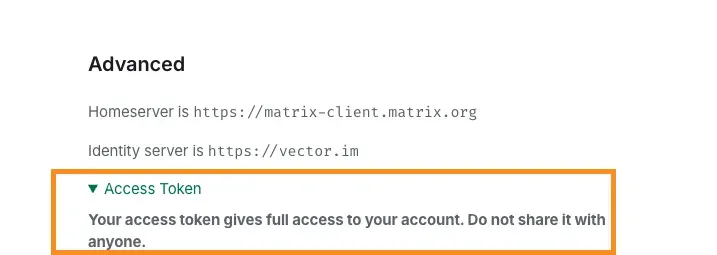
The token grants full access to the account. Keep it out of room messages, and sign that Element session out to revoke the token if it leaks.
Manyfold set up
- Open Settings -> Channels, create a channel, and choose Matrix.
- Select the agent and enter a label, such as
matrix-test. - Enter the homeserver base URL:
https://matrix-client.matrix.orgfor amatrix.orgaccount, or your own homeserver’s client API URL. - Paste the bot account access token.
- Leave the access and behavior settings at their defaults for a first connection. Room and user allowlists, operator IDs, and mention and session behavior are all covered in Settings once the channel works.
- Create the channel, then run Register.
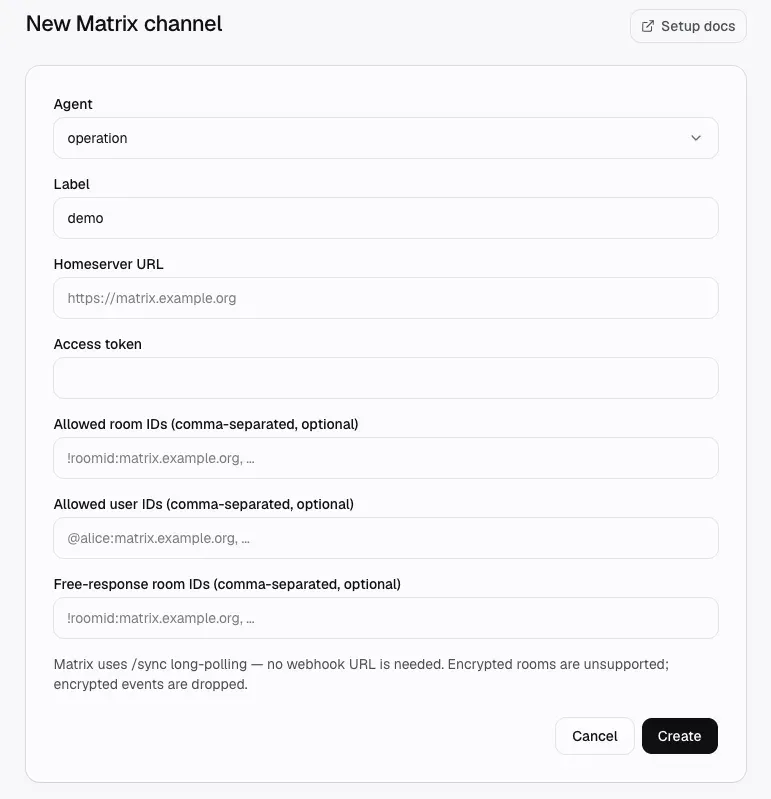
Registration calls Matrix whoami, stores the bot user ID and display name, and starts the /sync loop. The first sync stores a cursor without replaying its timeline as new agent turns; later syncs deliver new messages. You do not need to expose or copy the Manyfold inbound URL.
Invite the bot and test
-
Back in Element, start a direct message with the bot account or invite it into a room.
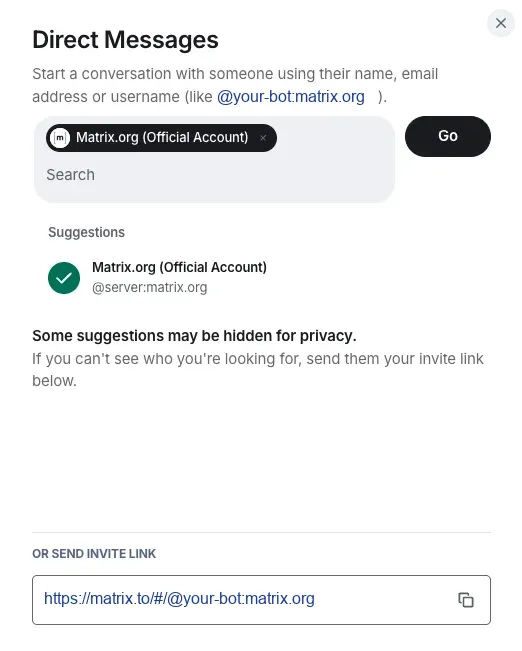
Keep the room unencrypted. Element turns encryption on for new rooms by default, and a room cannot be un-encrypted afterwards, so switch it off while creating the room. The REST provider is plaintext-only and records encrypted events as dropped.
-
Return to Manyfold and run Test. Verify describes a healthy result.
Rooms, DMs, and mentions
- Matrix DMs are identified from the bot account’s
m.directaccount data. Correctly mark the room as a direct chat in your client if it is being treated as a group. An agent-initiated user send can create a trusted private room and records it inm.directbest-effort. - DMs always count as directed to the bot.
- In group rooms, @mention the bot unless the room is listed under Free-response room IDs or Mention only is off.
- Allowed room IDs and Allowed user IDs are independent allowlists. Empty means unrestricted; a message must pass every applicable list. An operator is automatically an allowed sender but cannot bypass the room allowlist.
- With Auto-join invites on, the bot accepts invites only when the room passes the allowed-room policy. If Allowed users is non-empty, the inviter must be explicitly listed there; being only an operator does not allow the invite.
- Operator user IDs control agent-level commands such as
/model. An empty operator list denies these commands for everyone.
Matrix IDs must be entered in their full form, such as !room:example.org and @alice:example.org.
Threads and sessions
- With Thread isolation on, an existing Matrix thread has its own agent session.
- With Auto-thread group replies on, an accepted unthreaded room message becomes the root of a Matrix thread and the agent replies in that thread.
- With thread isolation on, a non-threaded Matrix reply is scoped to the event it directly references; outbound replies preserve the native reply relation.
- Without thread isolation, group sessions are per user unless Share session in channel is enabled.
- Typed commands such as
/new,/list,/stop, and/historybypass the mention gate. See Session switching.
Message behavior
- Non-encrypted
m.textevents are processed.m.noticeis ignored by default to prevent bot loops; setprocessNotices: truethrough the channel API only when notice events are trusted input. - Images, files, audio, and video are downloaded through the configured homeserver and passed through the common channel attachment limits. In mention-only rooms, a media caption must mention the bot; captionless media is accepted only in DMs, free-response rooms, or rooms where mention-only is off.
- Reactions, stickers, text edits (
m.replace), and encrypted events do not start agent turns. - Replies include a best-effort snippet of the referenced event. Sender display names and recent room or thread history are also resolved best-effort and fall back without blocking the message.
- Long answers are split at 3,900 characters before each chunk is rendered as Matrix HTML. Preview mode edits the initial
thinking...event and falls back to a fresh message if editing fails. Replies preserve native Matrix reply and thread relations, and the bot refreshes its typing indicator while the turn runs. - When Attach files the agent links is on, files referenced by the final agent answer are uploaded as image, file, audio, or video messages after the text reply. The link itself reads as its label in the text reply, since the file follows it. Upload failure leaves the text reply intact.
Agent-initiated sends
The agent bound to an active Matrix channel can reach out first with mf channels send. A human token can use the same command when it owns the channel and has channels:edit.
Pass exactly one target:
mf channels send <channelId> --chat-id '!room:example.org' --text 'Standup starts in 10 minutes.'
mf channels send <channelId> --user-id '@alice:example.org' --text 'What did you ship today?'
mf channels send <channelId> --reply-to '$event:example.org' --text 'Thanks, recorded.'--chat-idsends to the full Matrix room ID.--user-idreuses anm.directroom only if the bot is still joined; otherwise it creates a trusted private room and invites that user.--reply-toaccepts an inbound Matrix event ID recorded by the same channel, or the event ID returned by an earlier--chat-idsend. If that event belongs to a native thread, the reply stays in the thread; if the event lookup fails, Manyfold falls back to a plain reply in the recorded room.
The API records a durable outbound delivery before sending and returns its delivery ID, status, and Matrix event ID. A failed first attempt can remain queued for retry. Agent-initiated sends are limited to 30 per minute per channel.
Settings
| Setting | Recommendation |
|---|---|
| Allowed rooms | Use a room allowlist when the bot account belongs to unrelated rooms. Empty allows every joined room. |
| Allowed users | Use a user allowlist for a private deployment. Empty allows every sender in an allowed room. |
| Operator users | Add the Matrix user IDs allowed to run agent-level commands. Empty denies those commands for everyone. |
| Free-response rooms | Add only rooms where every accepted text message should drive the agent without an @mention. |
| Auto-join invites | Keep on if the bot should accept allowed room invitations automatically. |
processNotices (API) | Keep the default false unless m.notice events should intentionally drive the agent. |
| Mention only | Keep on for ordinary group rooms; free-response rooms override it. |
| Shared session | Keep off for per-user room context; enable only when the whole room should share one conversation. |
| Thread isolation | Keep on for separate Matrix thread conversations. |
| Auto-thread group replies | Keep on to answer unthreaded group prompts inside a new thread. |
| Attach files the agent links | Keep on to upload files linked by the final agent answer; turn off for text-only output. |
| Backfill room history on mention | Keep on to add recent room or thread messages as background when responding to a group mention. The limit is clamped to 1–100 events. |
| Progress mode | Preview edits one message; Activity includes tool/thinking activity; Final sends only the answer. |
| Send message context | Keep on so the agent receives sender, room, thread, and event IDs. |
resetOnIdleMins (API) | Set a minute threshold to start a fresh session after inactivity; leave unset or 0 to disable. |
Verify
Run Test. A healthy result confirms whoami and that the channel status is active. The result separately reports whether a sync token has been stored; not stored yet does not fail the test, but it means you should wait for the first sync before sending the verification message. Initial timeline events are intentionally not replayed as new turns, although later history backfill can include recent room/thread messages as background.
Troubleshooting
whoamifails: check the homeserver base URL, token, and whether the token has been revoked.- Channel stays connecting or reports a sync error: confirm the homeserver is reachable from Manyfold and supports the Client-Server
/syncAPI. - Bot does not join an invite: enable auto-join and check Allowed room IDs. When Allowed users is non-empty, the inviter must be in that list; Operator users do not override invite policy.
- Bot does not respond in a room: @mention its user ID/display name, add the room to Free-response rooms, or turn off Mention only.
- Messages are ignored: verify both room and user allowlists and use full Matrix IDs. Operators bypass the user list only; every message must still pass the room list.
- A DM behaves like a group: ensure the client has written the room to the bot account’s
m.directdata. - Encrypted messages are ignored: the REST provider is plaintext-only and records encrypted events as dropped. Use an unencrypted room.
- An attachment is skipped: check that it is an
mxc://image/file/audio/video event, fits the 25 MB per-file and 100 MB per-message limits, and has a bot mention in its caption when the room is mention-only. - A notice does not trigger the agent:
m.noticeis off by default; setprocessNotices: truethrough the channel API only if this input is intentional. - An agent-level command is denied: add the sender’s full Matrix user ID to Operator users.
- Replies start unexpected threads: review Auto-thread group replies and Thread isolation.
- An agent-initiated send fails: confirm the channel is active, pass exactly one target, use full Matrix IDs, and use a reply event ID previously recorded by this channel.
- A send is delayed by rate limiting: the provider honors the homeserver’s
retry_after_msand retries the same transaction up to three times before failing.