Configure A2A permissions
Use the Manyfold UI to expose an agent, authorize callers and targets, and verify the route before delegating work to another agent.
Open Agent settings → A2A, enable exposure, grant the required caller or target, then verify the green reachable state. Inbound answers “who can call this agent?” Outbound answers “which agents can this agent call?”
Configure only the route that the workflow needs. Permission is directional and is not automatically shared with every agent in the workspace.
Step 1: Open Agent settings
From the main workspace, click the agent information or open the three-dot menu beside the agent name. Choose Agent settings.
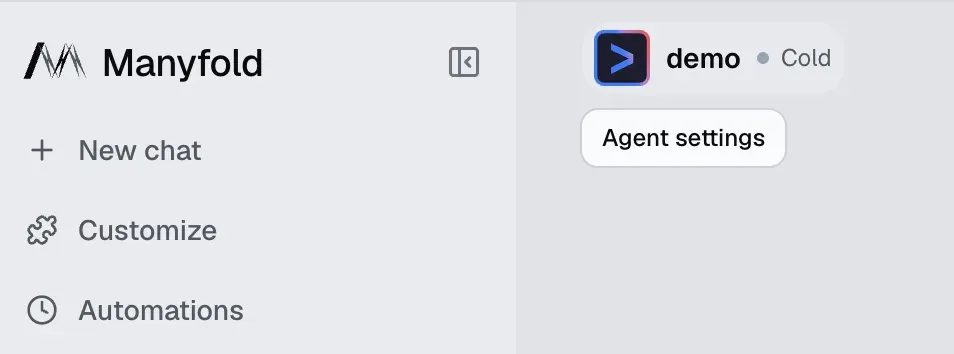
Open Agent settings from the agent information area.
Step 2: Enable A2A and understand the two directions
In the settings sidebar, scroll to the bottom and choose A2A, then enable exposure. The page shows the Agent Card, RPC endpoint, inbound callers, outbound targets, and activity.
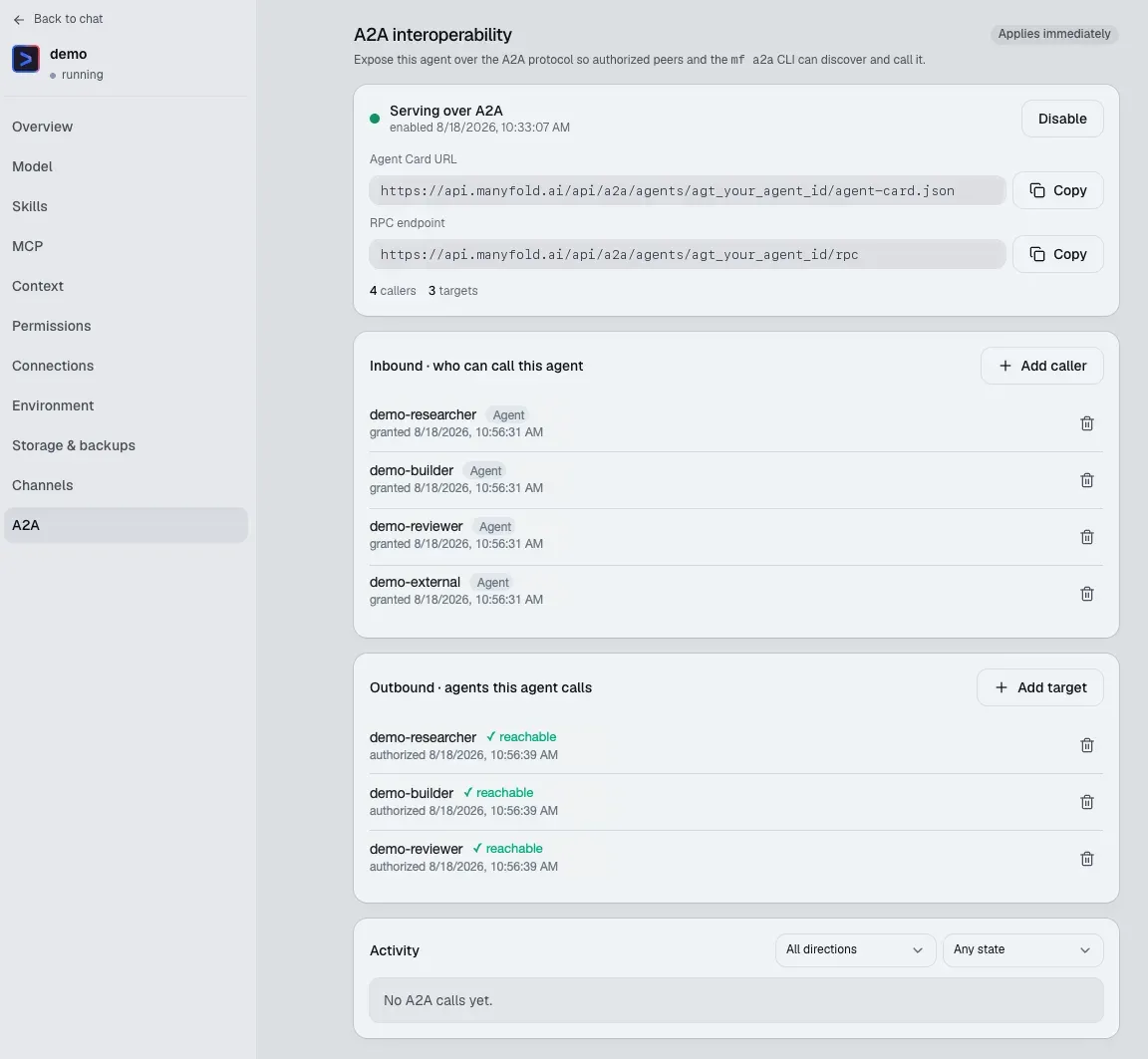
The A2A settings page is the control plane for the agent’s authorized routes.
- Inbound, who can call this agent: Authorize a Manyfold agent or an External client to call the current agent. The current agent is the target.
- Outbound, which agents this agent calls: Authorize the current agent to call selected target agents. The current agent is the caller.
A successful route is caller Outbound → target Inbound. Both sides must agree; one side alone is not enough.
Step 3: Authorize Agent peers or External clients
Use Add caller for inbound access and Add target for outbound access. Agent peers are existing agents in the Manyfold workspace. External client is for an outside service that connects with A2A API credentials.
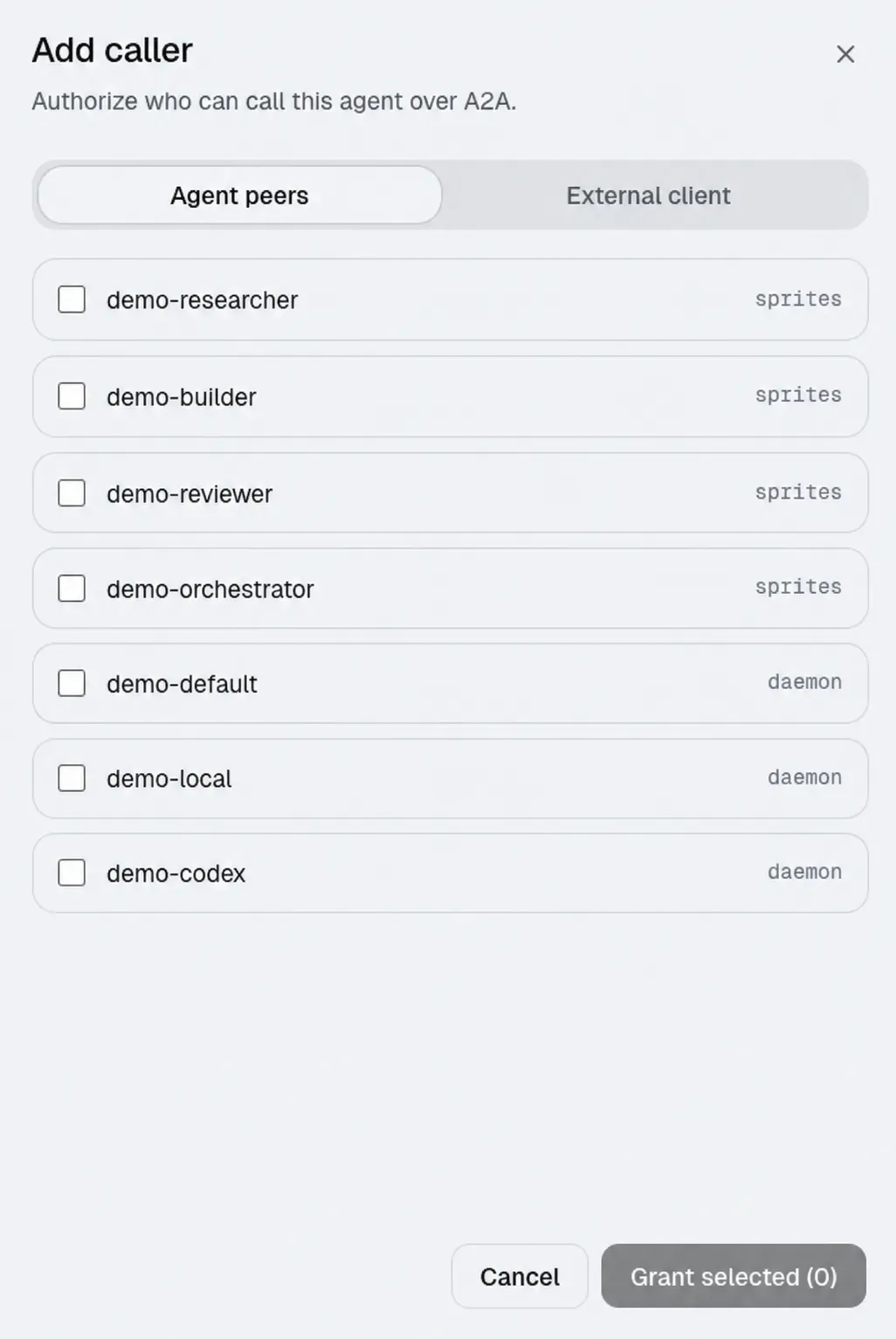
Select the peers that may call this agent.
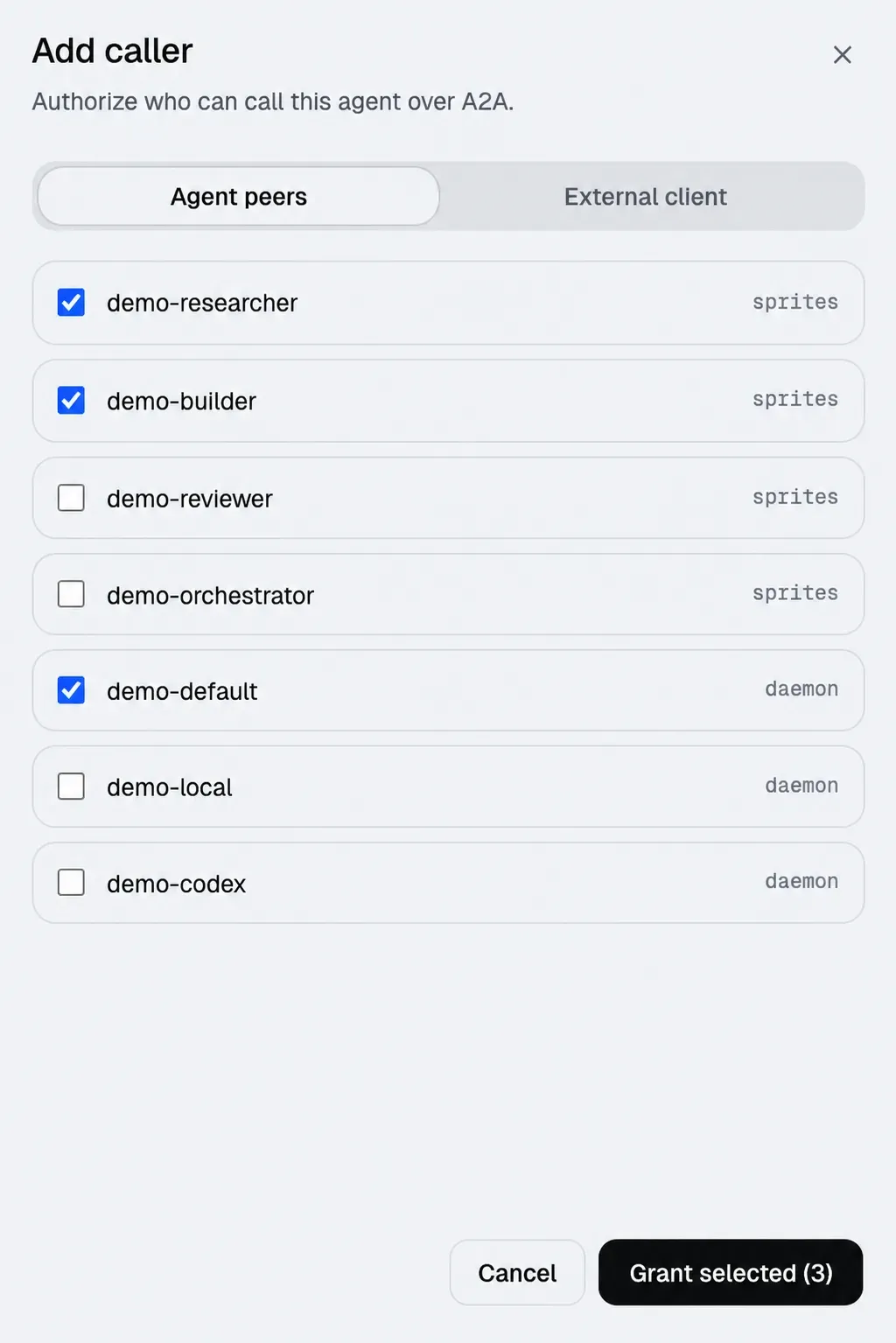
Review the selection before granting access.
Click Grant selected. The authorized identities then appear in the Inbound or Outbound dashboard.
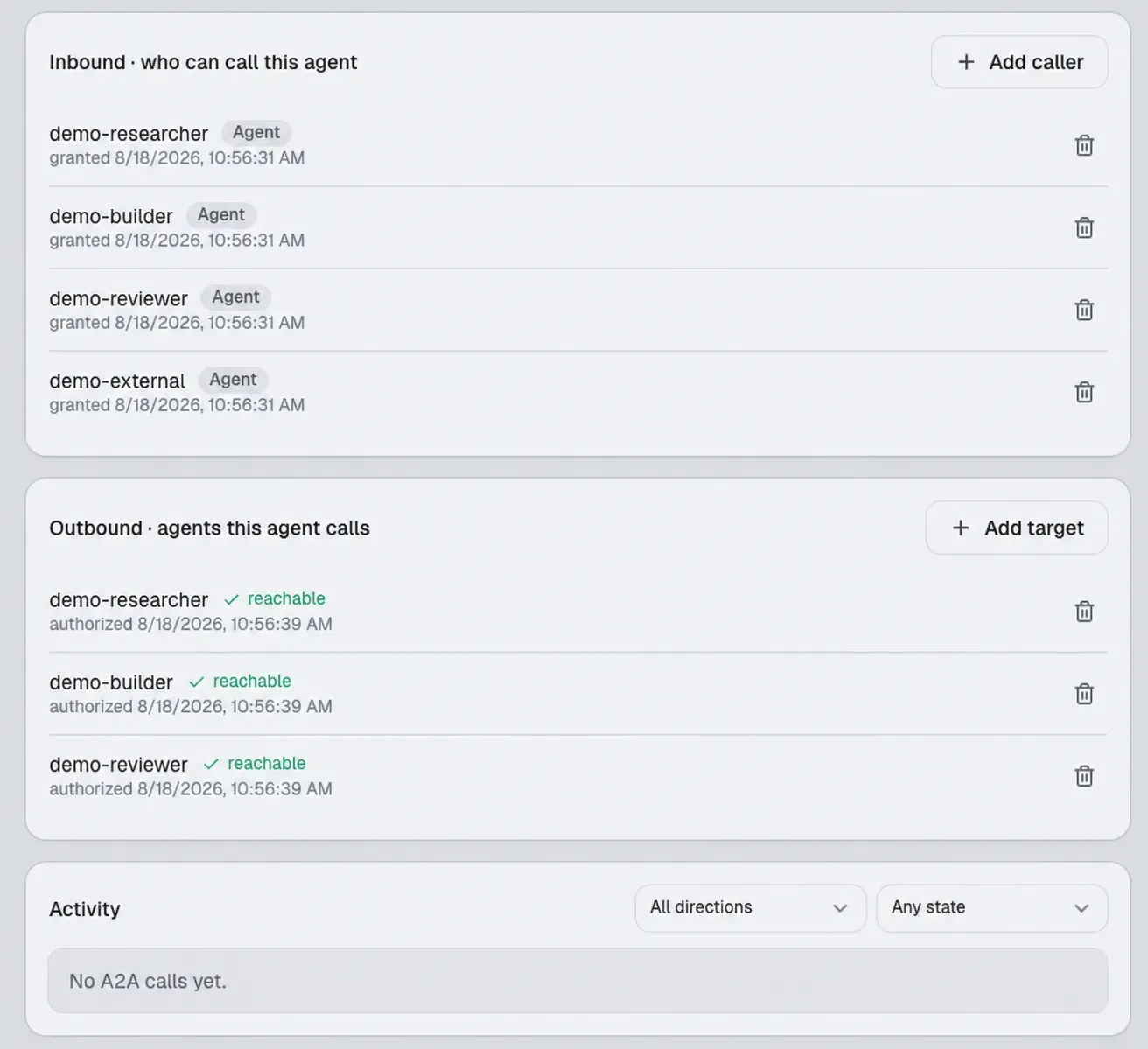
Green reachable status confirms that the outbound route can be discovered.
Security note: Treat Agent Card URLs, RPC endpoints, External client credentials, and API tokens as secrets.
Step 4: Return to the workspace and delegate
Select the caller agent and send a bounded task. State the goal, scope, deliverable, and stop condition.
Delegate to demo-researcher:
Goal: map the authentication flow.
Scope: inspect src/auth and related tests read-only; do not edit or commit.
Deliverable: file list, three risks, and a minimal fix proposal.
Stop condition: return the brief, then stop.
For the broader orchestration pattern, read Design a multi-agent workflow.
Frequently asked questions
-
Does enabling A2A let every agent call this agent?
No. Exposure and caller grants are separate controls. Grant only the agents or clients that the workflow requires.
-
Why is an outbound target not reachable?
Check that the target is exposed and that the target’s Inbound section grants the caller. Then refresh the A2A status.
Need the workflow design? Read the Multi-Agent A2A workflow guide.