Discord
将 Discord bot 连接到 Manyfold Agent。
当你希望在 Discord 私聊、server channel 或 thread 中使用 Agent 时,可以连接 Discord。Manyfold 会维护 Discord Gateway 连接、注册原生 application command,并能为 mention-gated 对话补充周围 channel 上下文。
渠道能力
| 能力 | 支持情况 |
|---|---|
| DM、server channel 和 thread | 支持;server 消息默认需要 @mention。 |
| 原生 slash command | 支持;Manyfold 会为 application 注册全局命令。 |
| 接收和发送文件 | 支持;纯文件消息可用,也可附加 Agent 生成的文件。 |
| 原生回复 | 支持;server 中的答案会引用触发消息。 |
| 实时进度和 typing | 支持;同时显示 Discord typing 和可编辑预览消息。 |
| 历史回填 | 支持;bot 被 mention 时可补充最近 server 讨论。 |
| Usage footer | 可选显示 model、token、cost、耗时和 tool 摘要。 |
前提条件
- 已有 Manyfold Agent。
- 有权限创建 Discord application。
- 有权限把 bot 邀请到目标 server。
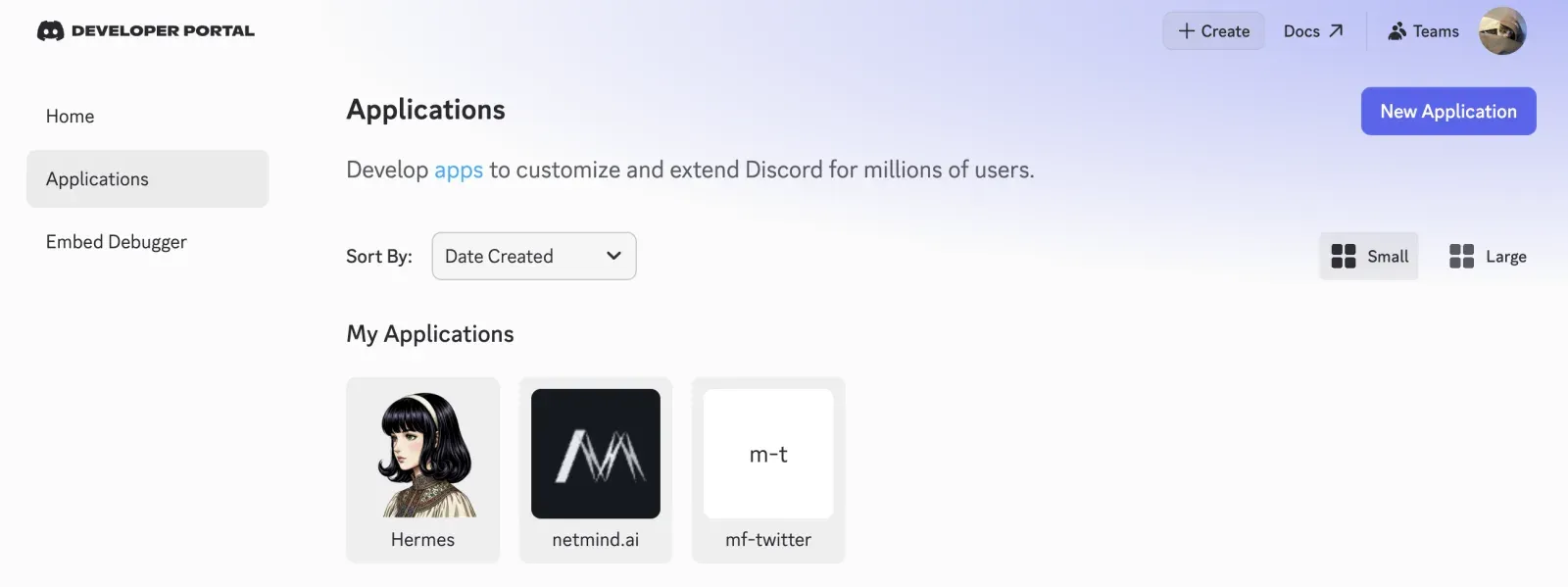
创建 Discord application
-
-
创建 application。
-
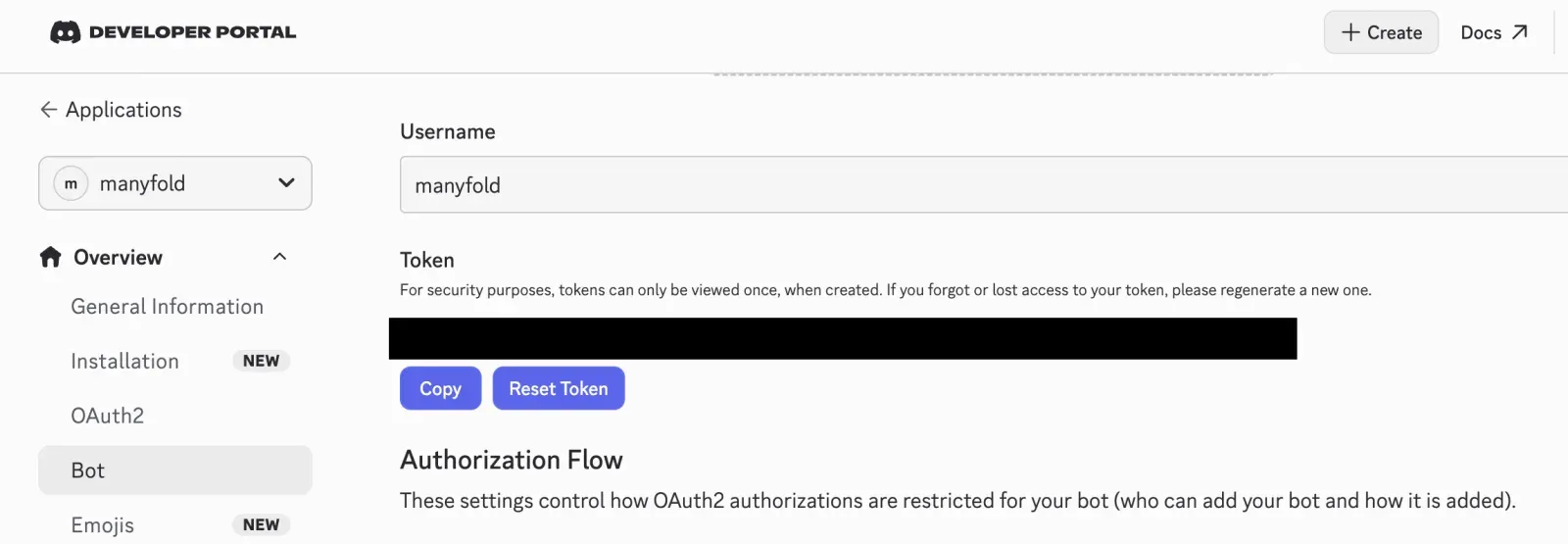
打开 Bot,创建 bot user,复制或重置 token,并像密码一样保管。
-
在 Privileged Gateway Intents 下启用 Message Content Intent。
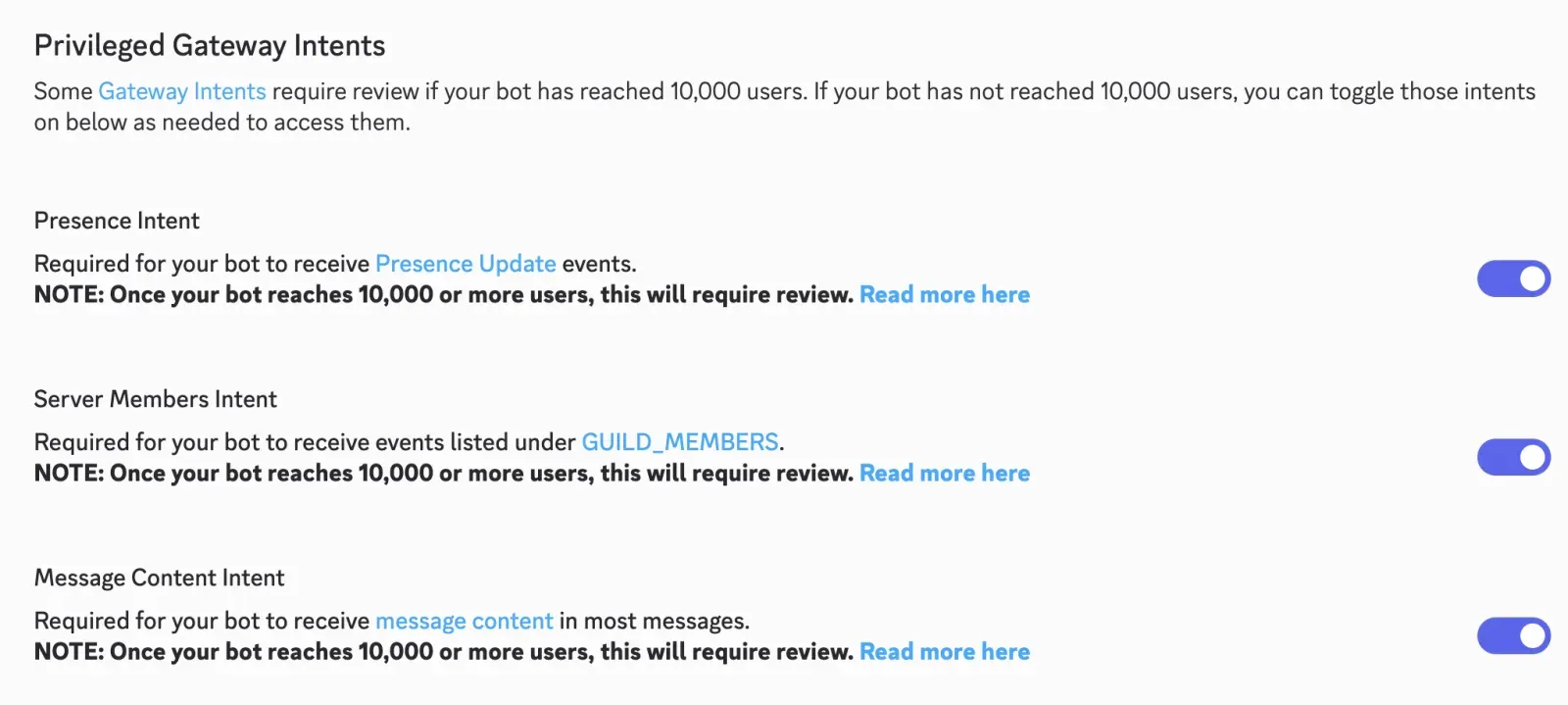
Manyfold 同时处理普通消息和 slash command,因此 Message Content Intent 是必需的。未启用时 Gateway 可能连接成功,但用户 prompt 和 attachment metadata 可能为空。加入 100 个以上 server 的已验证 application 可能还需向 Discord 申请该 privileged intent。
邀请 bot
在 OAuth2 -> URL Generator 中:
-
选择
bot和applications.commandsscope。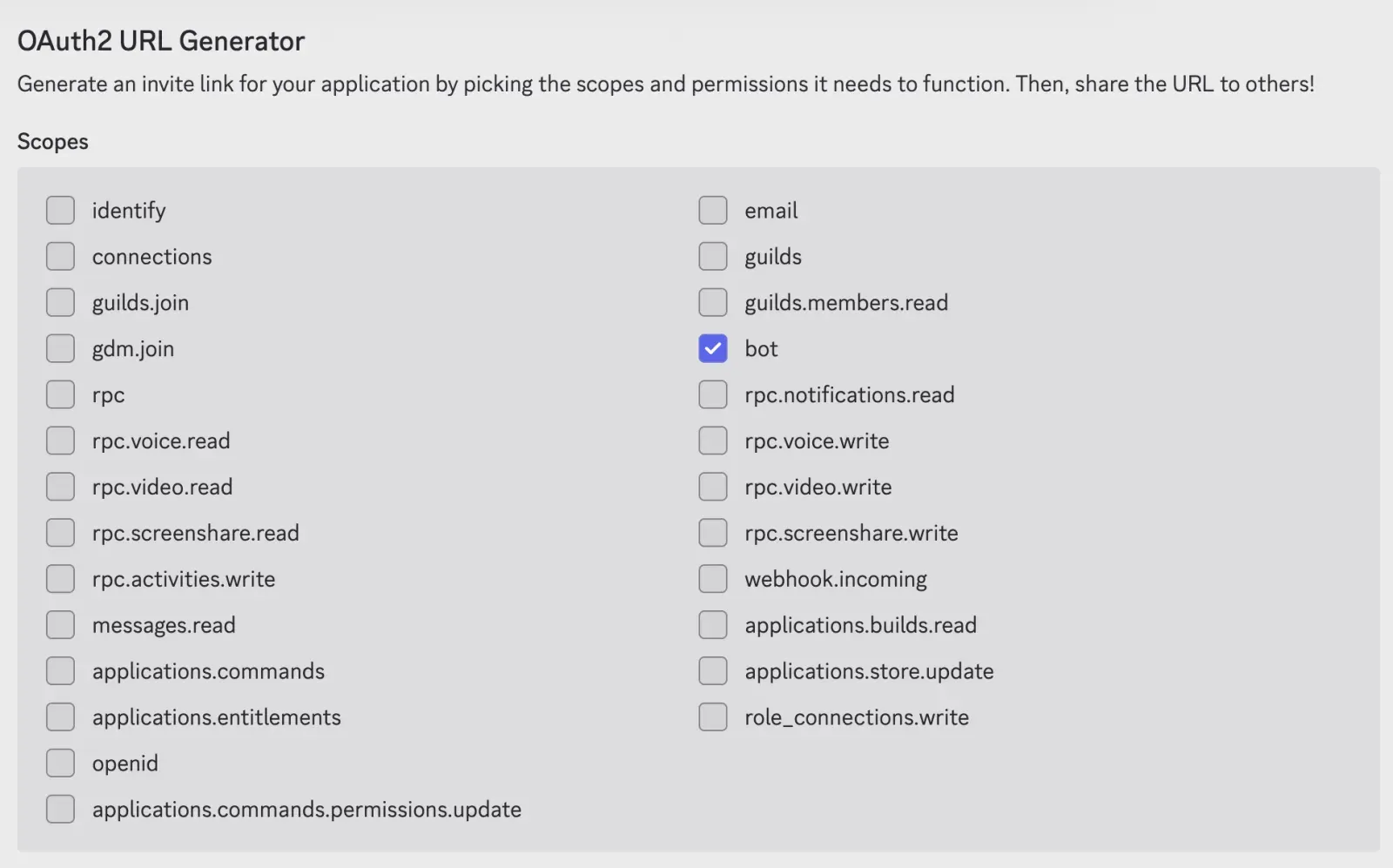
-
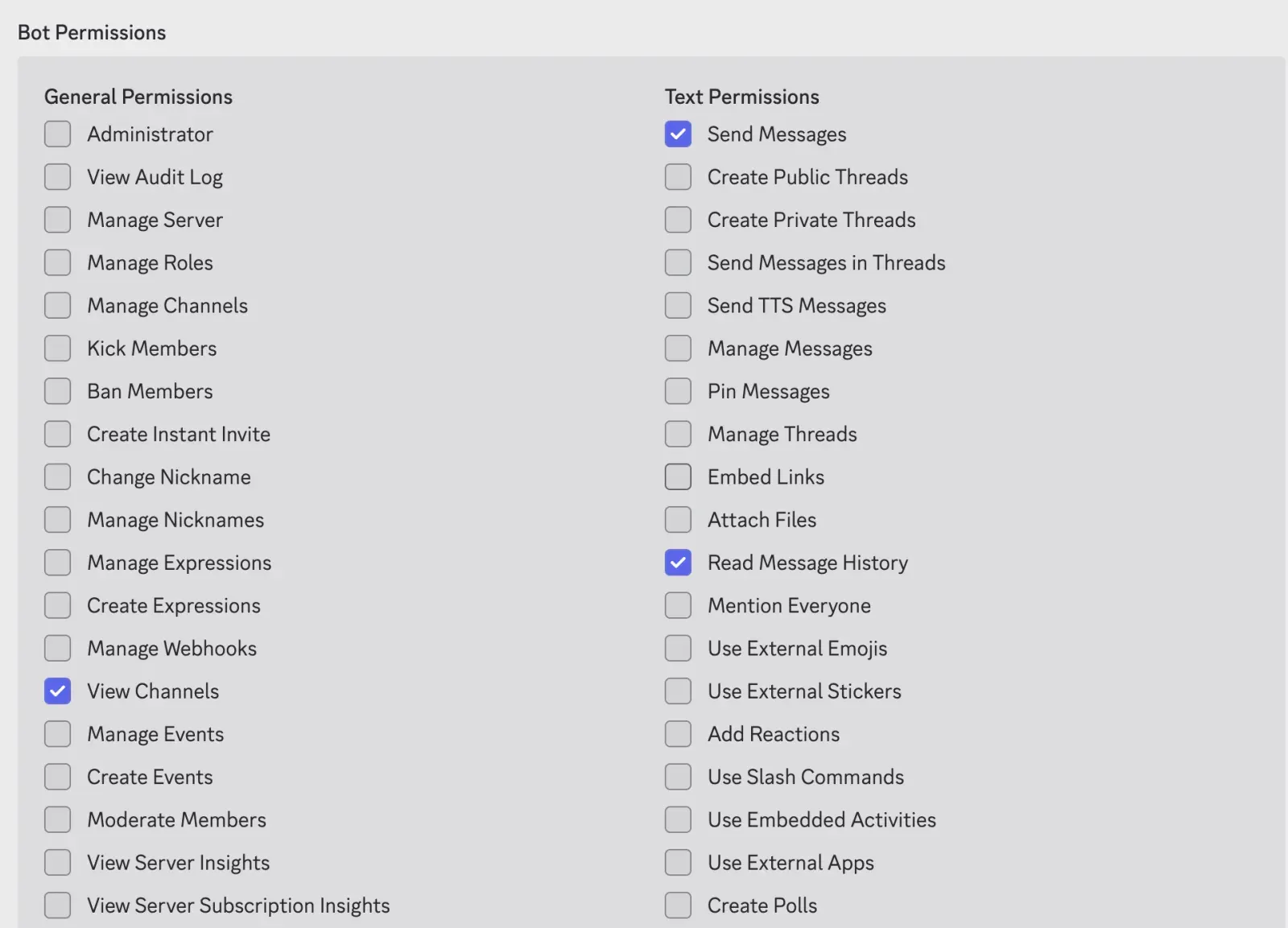
只勾选设置实际需要的 bot permission:
| Bot permission | 用途 |
|---|---|
| View Channels | 查看目标 server channel。 |
| Send Messages | 发送普通回复和进度消息。 |
| Read Message History | 原生回复上下文和历史回填。 |
| Send Messages in Threads | 在已有或自动创建的 thread 中回复。 |
| Create Public Threads | 在 server 文本 channel 中使用 Auto-thread。 |
| Attach Files | 发送 Agent 链接的文件。 |
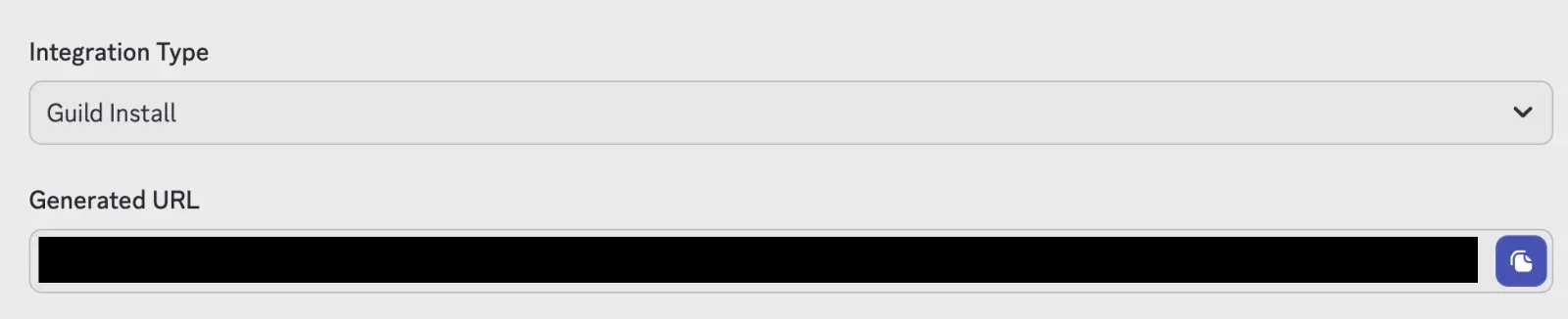
打开生成的 URL 并邀请 bot。即使 server role 授予权限,channel-level permission override 仍可能阻止 bot。
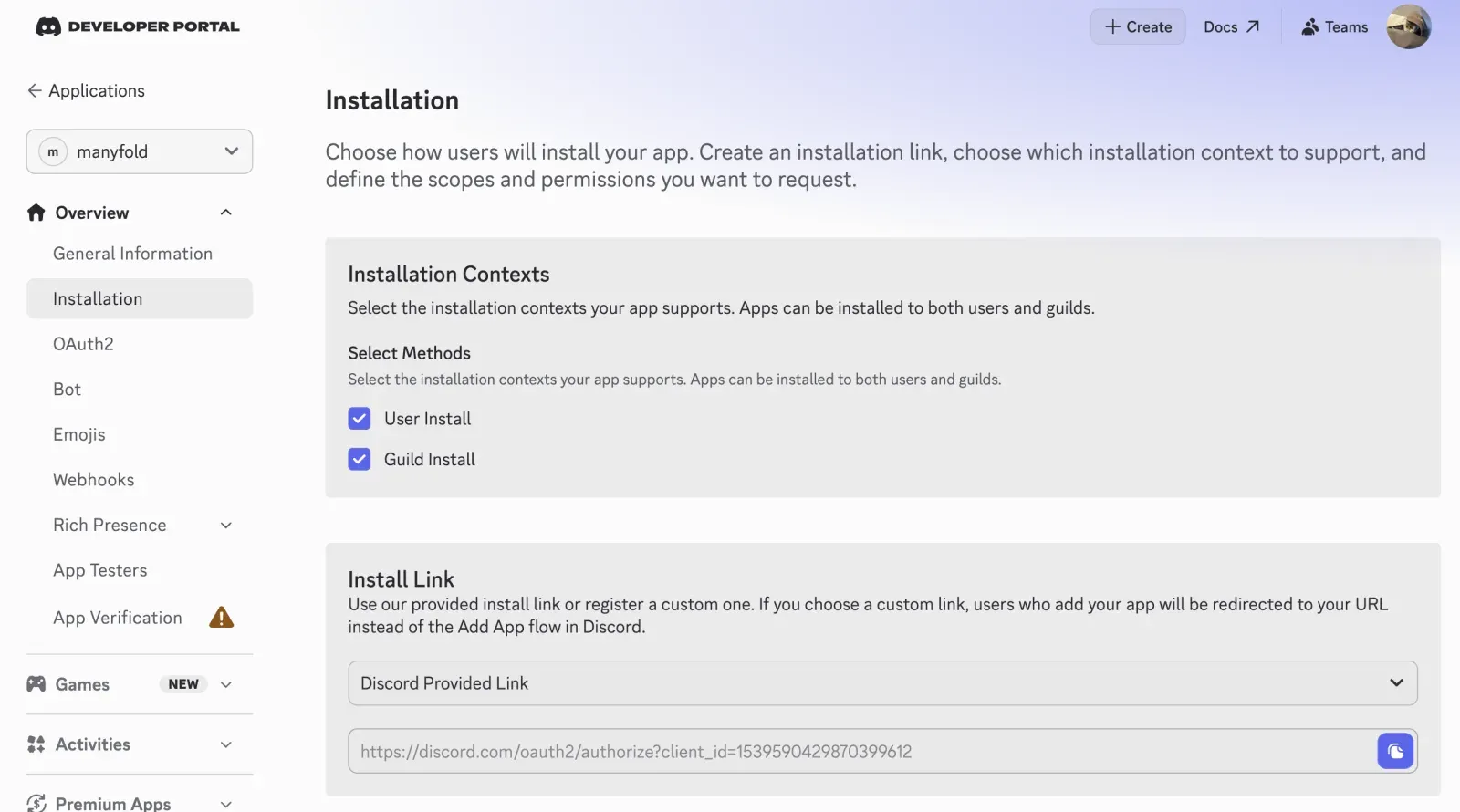
Installation -> Install Link 是取得同一个邀请链接的另一条路径:在那里选择 Discord Provided Link 就能直接生成安装 URL,不必在 URL Generator 中自行组装。两种链接邀请的是同一个 application。
连接到 Manyfold
-
打开 Settings -> Channels。
-
创建渠道并选择 Discord。
-
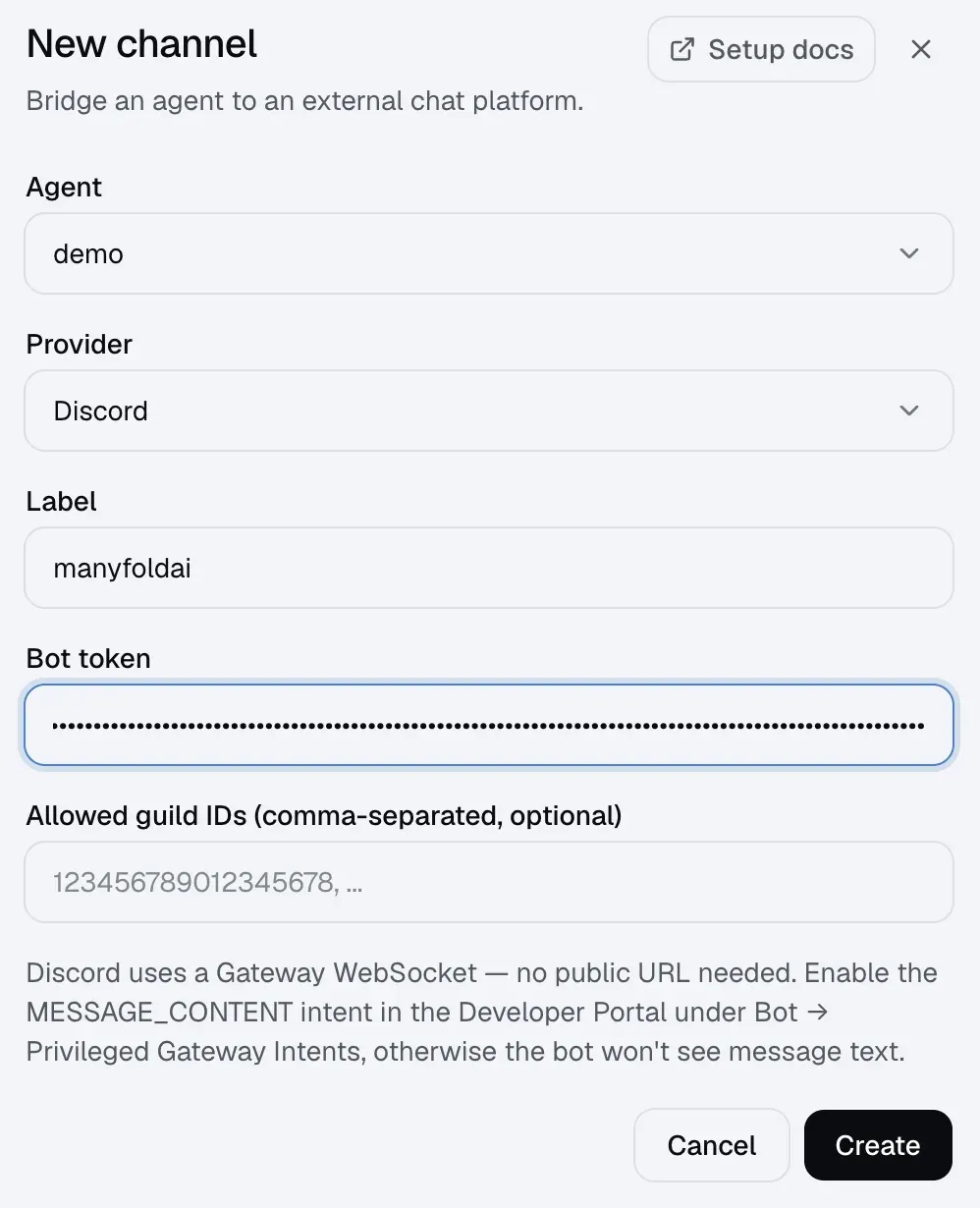
选择 Agent,输入标签并粘贴 bot token。
-
可选填写一个或多个 Allowed guild IDs。
-
创建渠道。
-
运行 Register,然后运行 Test。
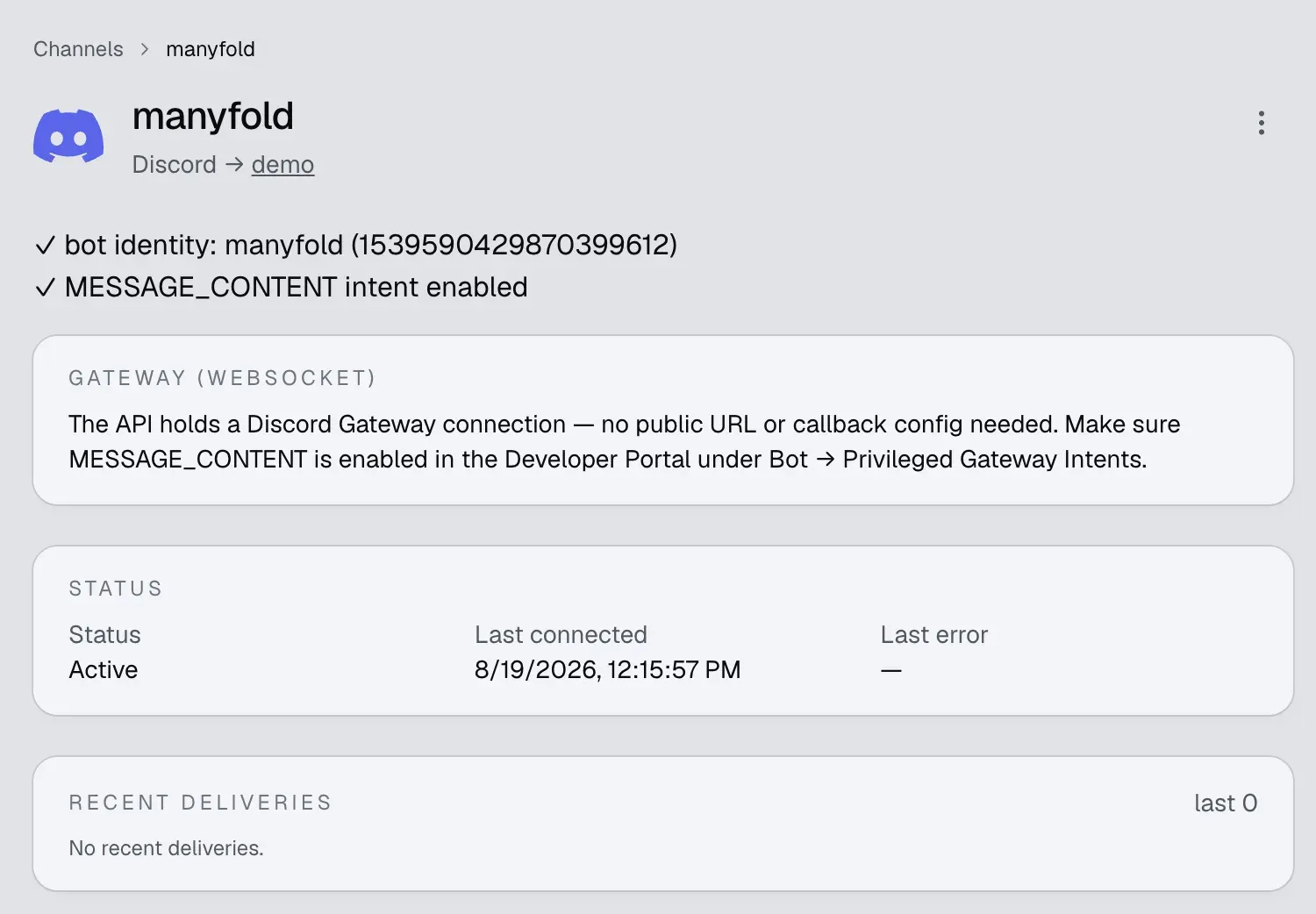
Discord 不使用 Manyfold inbound URL。注册会读取 bot/application 身份、检查 Message Content Intent 并注册全局 slash command。Gateway 连接会自动启动,并在短暂断线后重连。
消息、回复和文件
- 文本、attachment 和纯 attachment 消息都可以驱动 Agent。
- Manyfold 每条 inbound message 最多接收 10 个文件、单文件 25 MB、总计 100 MB。不支持或超限文件会被跳过,消息其余部分继续处理。
- 回复 Discord 消息时,Agent 会看到一段简短引用上下文,包括作者、文本和图片 attachment。Mention-only server 中请使用 reply-with-ping 或额外 @mention bot。
- Server 回复使用 Discord 原生 message reference;DM 不添加多余引用。
- 开启 Attach files the agent links 后,final answer 中链接的 workspace 文件会作为 Discord attachment 发送。
- 文件输入仍要求所选 Agent framework 支持 attachment。
Server 上下文和 thread
- 开启 Thread isolation 后,每个 Discord thread 映射为独立 Agent session,回复留在 thread 内。
- Auto-thread 会从已接受的顶层 server 消息创建 public thread。它要求 thread isolation 和 Create Public Threads permission;失败时回退到原 channel。
- 开启 History backfill 后,server 中的 @mention 可以附带此前因 mention gating 未进入 Agent transcript 的最近消息。扫描在 bot 上一次对话回复处停止,并把内容标记为背景而非指令。
- History limit 控制一次读取 1–100 条消息。刚自动创建的 thread 没有历史,因此跳过回填。
Slash command
Manyfold 会注册 /new、/list、/switch、/current、/rename、/delete、/stop、/model、/usage、/history 和 /help。可用时,原生命令回复会使用 deferred Discord interaction。
Session command 不需要 @mention。行为和权限见切换 Session。
设置
| 设置 | 建议 |
|---|---|
| Allowed guild IDs | 留空允许所有 server 和 DM;非空时只接受列出的 server,同时也会阻止 DM。 |
| Mention only | Server 中建议开启;DM 直接响应,但非空 allowed-guild list 会阻止 DM。 |
| Shared session | 默认关闭以按用户隔离;只有明确希望 server channel 共享对话时才开启。 |
| Thread isolation | 保持开启,让每个 Discord thread 使用独立 session。 |
| Auto-thread | 希望顶层 server prompt 自动进入新 public thread 时开启。 |
| Progress mode | Preview 编辑一条实时消息;Activity 还会显示工具/思考活动;Final 只发送最终答案。 |
| Post final reply as a new message | 需要新的 Discord push notification 时开启。Manyfold 会删除 preview 后发送新 final;默认 Edit 原地更新。 |
| Append a usage footer | 需要在每次回答后显示 model、token、cost、耗时和 tool 时开启。 |
| Attach files the agent links | 希望用户收到生成的 workspace 文件时保持开启。 |
| Backfill channel history | Mention-gated 团队讨论建议开启;只希望把当前 prompt 作为上下文时关闭。 |
| Send message context | 建议开启,让 Agent 获得 sender、guild/channel、thread 和 message ID。 |
验证
运行 Test,确认 bot 身份和 Message Content Intent。然后:
- 如允许 DM,私聊 bot。
- 在 allowed server channel 中 @mention bot。
- 从 Discord command picker 运行
/help。 - 如工作流需要,再测试 thread、history backfill 和小型 attachment。
排查问题
- Message Content Intent 未启用:在 Bot -> Privileged Gateway Intents 中启用,然后重新注册/测试。
- Bot 已连接但忽略 server 消息:@mention bot 或关闭 Mention only,并检查 allowed guild list。
- DM 被忽略:非空 allowed guild list 会有意阻止 DM;需要 DM 时清空它。
- Bot 无法回复或显示进度:授予 View Channels 和 Send Messages,并检查 channel override。
- 命令菜单缺失:使用
applications.commands重新邀请 bot,然后运行注册;全局命令传播可能需要一些时间。 - 历史或引用上下文缺失:授予 Read Message History,并按需开启 history backfill。
- Auto-thread 回退到 parent channel:授予 Create Public Threads,并保持 thread isolation 开启。
- Bot 在 thread 中沉默:授予 Send Messages in Threads。
- Agent 生成的文件缺失:授予 Attach Files,并开启 Attach files the agent links。
- Inbound attachment 被跳过:检查 10 文件、单文件 25 MB、总计 100 MB 限制,并确认 Agent 支持文件输入。