Telegram
将 Telegram bot 连接到 Manyfold Agent。
当你希望在 Telegram 私聊、群组、超级群组或论坛话题中使用 Agent 时,可以连接 Telegram。Manyfold 会自动管理 bot webhook 和命令菜单。
渠道能力
| 能力 | 支持情况 |
|---|---|
| 私聊 | 支持;每条有效文本消息或 caption 都会发送给 Agent。 |
| 群组和超级群组 | 支持;普通消息默认必须显式 @mention bot。 |
| 论坛话题和消息回复 | 支持;thread isolation 按 topic ID 隔离论坛话题,普通回复按直接引用的消息隔离。 |
| Slash command | 支持;Manyfold 会尝试注册命令菜单,即使菜单注册失败,文本命令仍可用。 |
| 实时进度 | 支持;Agent 工作时持续编辑同一条预览消息。 |
| 接收文件和媒体 | 不支持;目前只会把文本消息和媒体 caption 发送给 Agent。 |
| 普通 Agent 回复中的文件 | 不支持;文件链接会保留在文本回复中。 |
| 显式 Agent 文件发送 | 支持;mf channels send --file 会上传 workspace 文件。 |
| 广播频道 | 不支持;不会注册或处理 channel_post update。 |
前提条件
- 已有 Manyfold Agent。
- 已通过
@BotFather获取 Telegram bot token。 - 如需在群组中使用,有权限把 bot 加入目标群组。
创建 bot
-
在 Telegram 中打开
@BotFather。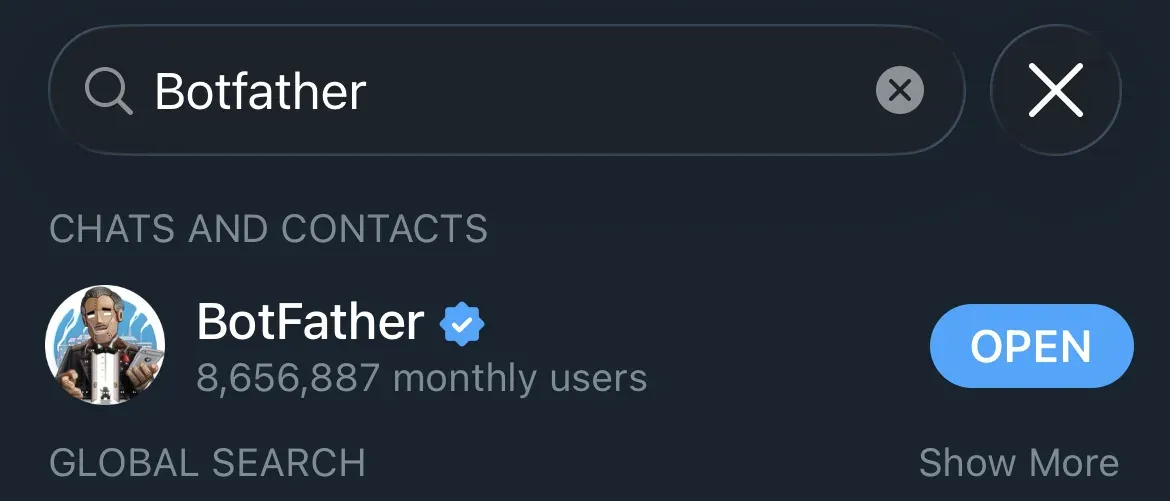
-
发送
/newbot并按提示操作。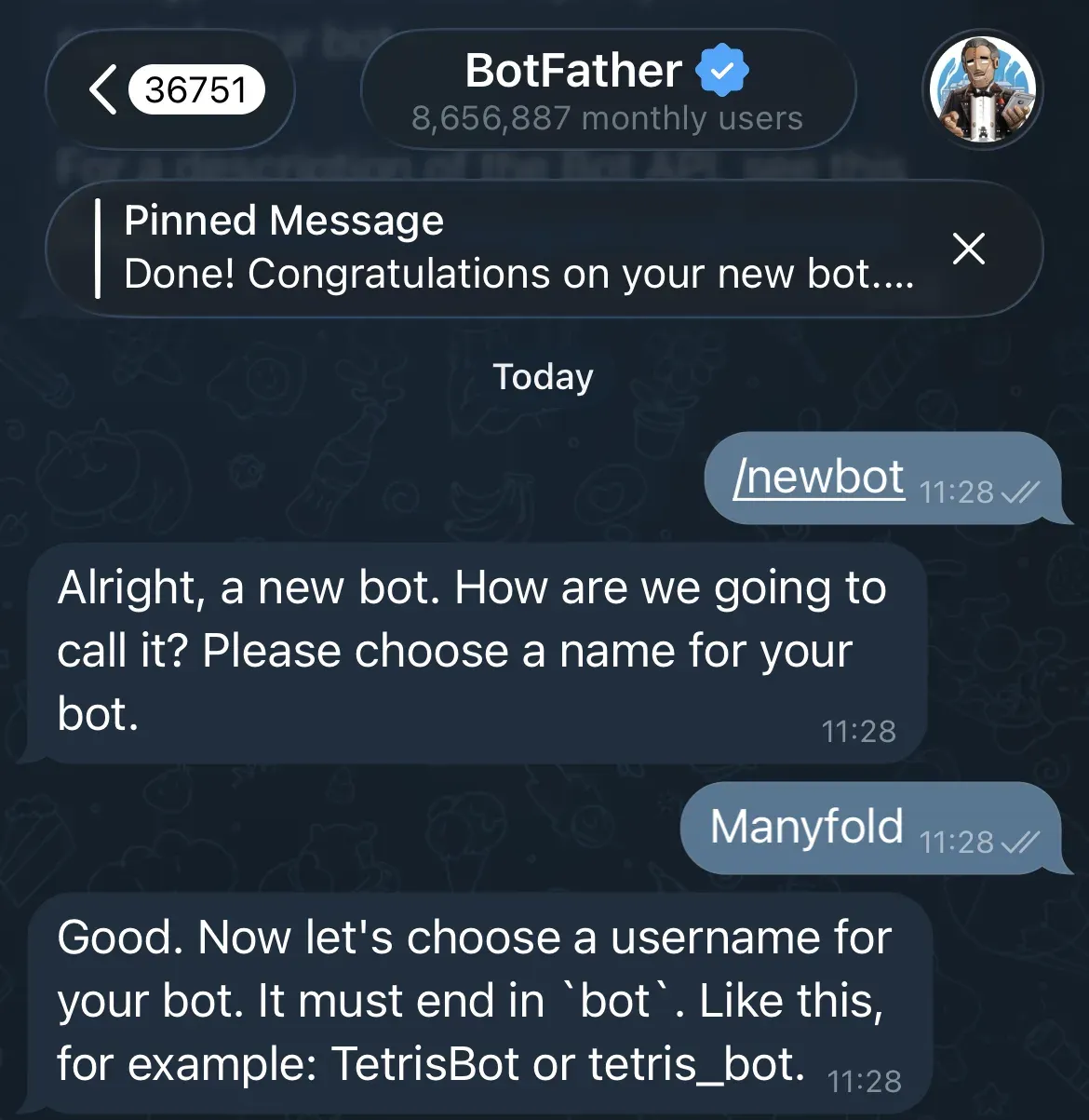
-
设置显示名称和一个以
bot结尾的全局唯一用户名。 -
复制 bot token,并像密码一样保管。
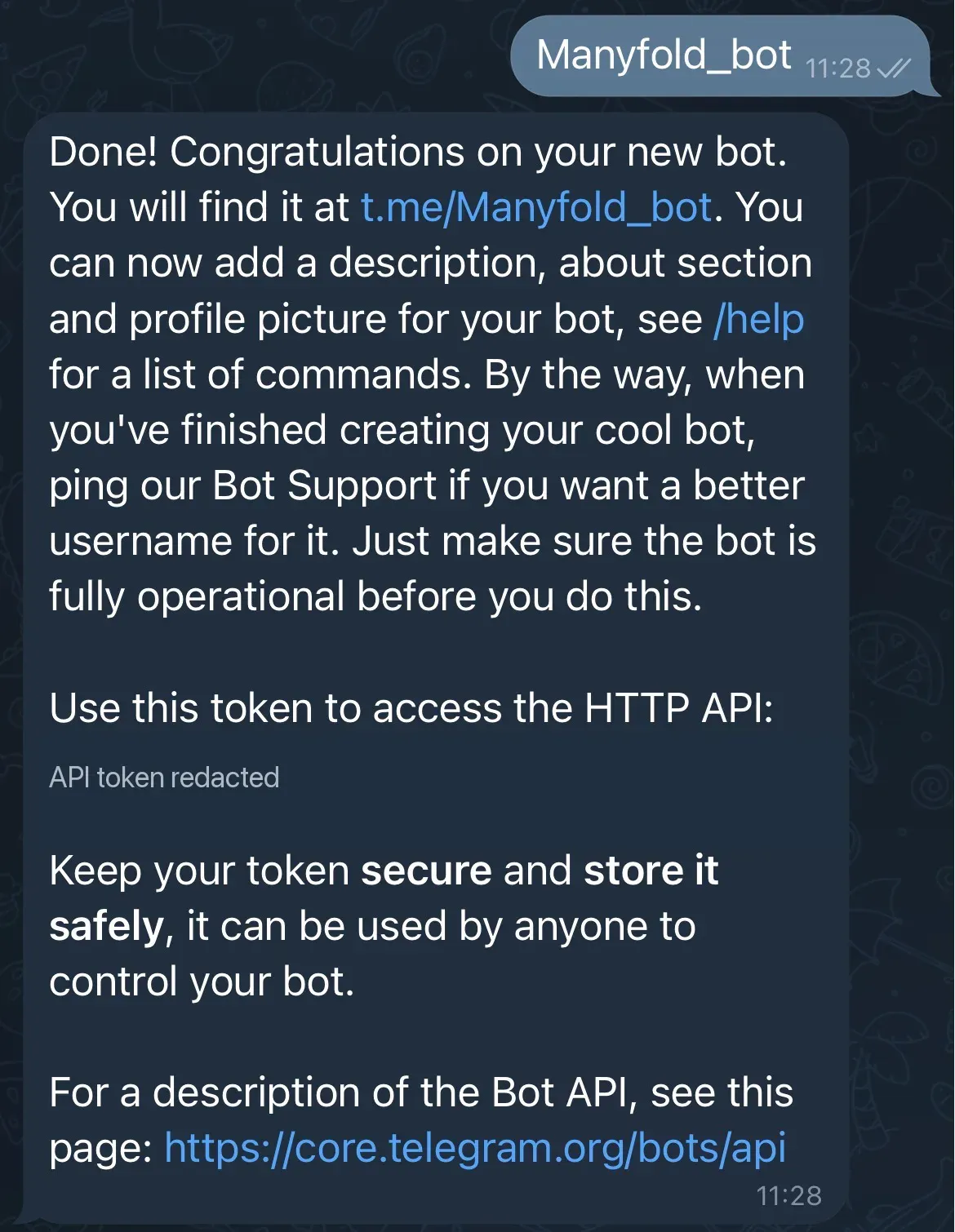
-
如果 bot 需要在没有 @mention 时接收普通群消息,请在 BotFather 中打开 Bot Settings -> Group Privacy 并关闭 privacy mode。如果已有群组没有应用新设置,请移除后重新添加 bot。
BotFather 还有几个可选命令用于设置 bot 的外观:/setdescription 设置详细介绍、/setabouttext 设置简短简介、/setuserpic 设置头像、/setcommands 添加 Telegram 自己的命令菜单。
开启 Mention only 时建议保留 privacy mode。Telegram 仍会投递命令、回复 bot 的消息和 @mention bot 的消息,同时不会把无关群聊发送给 bot。但“Telegram 已投递回复”不等于 Manyfold 认定它是 mention:普通回复文本仍需包含 @BotUsername,除非关闭 Mention only。
连接到 Manyfold
-
打开 Settings -> Channels。
-
创建渠道并选择 Telegram。
-
选择要接收消息的 Agent。
-
输入标签并粘贴 bot token。
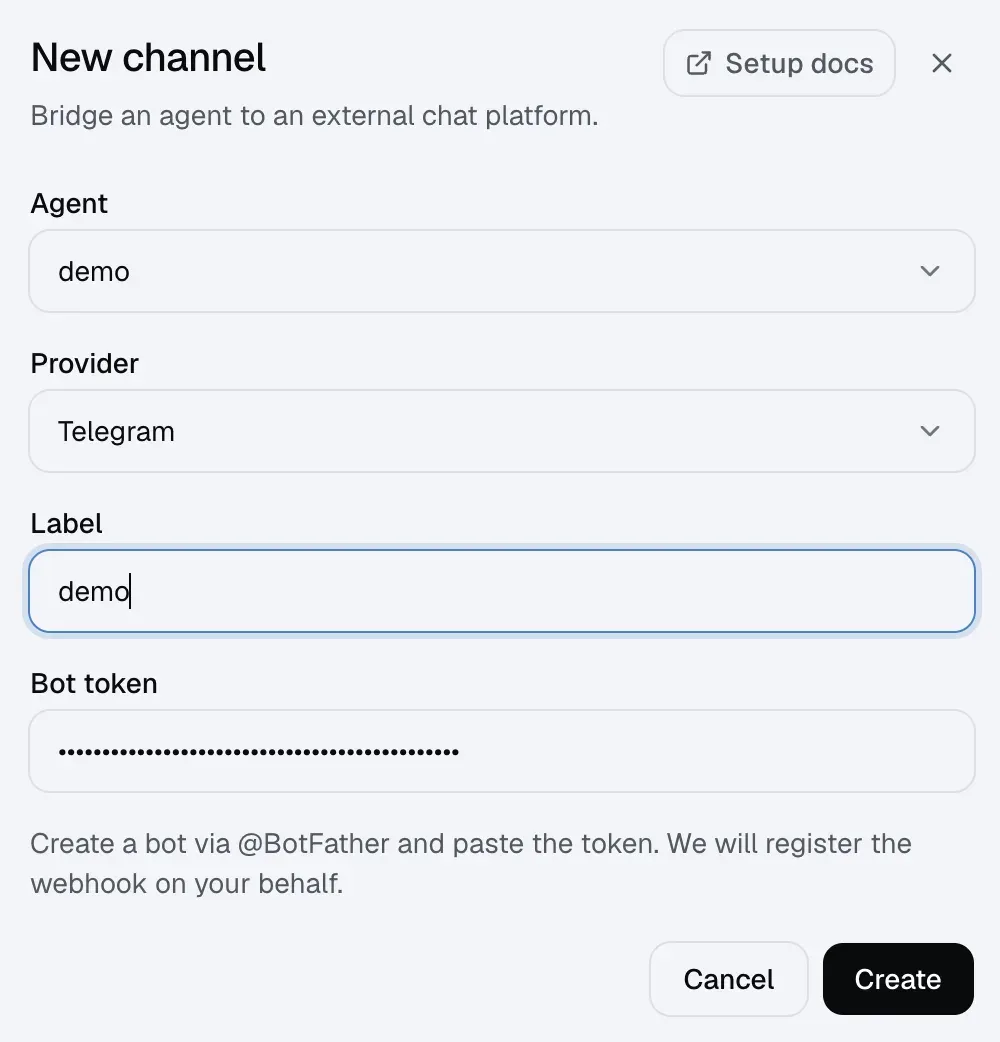
-
创建渠道。
-
打开渠道详情页并运行 Test。
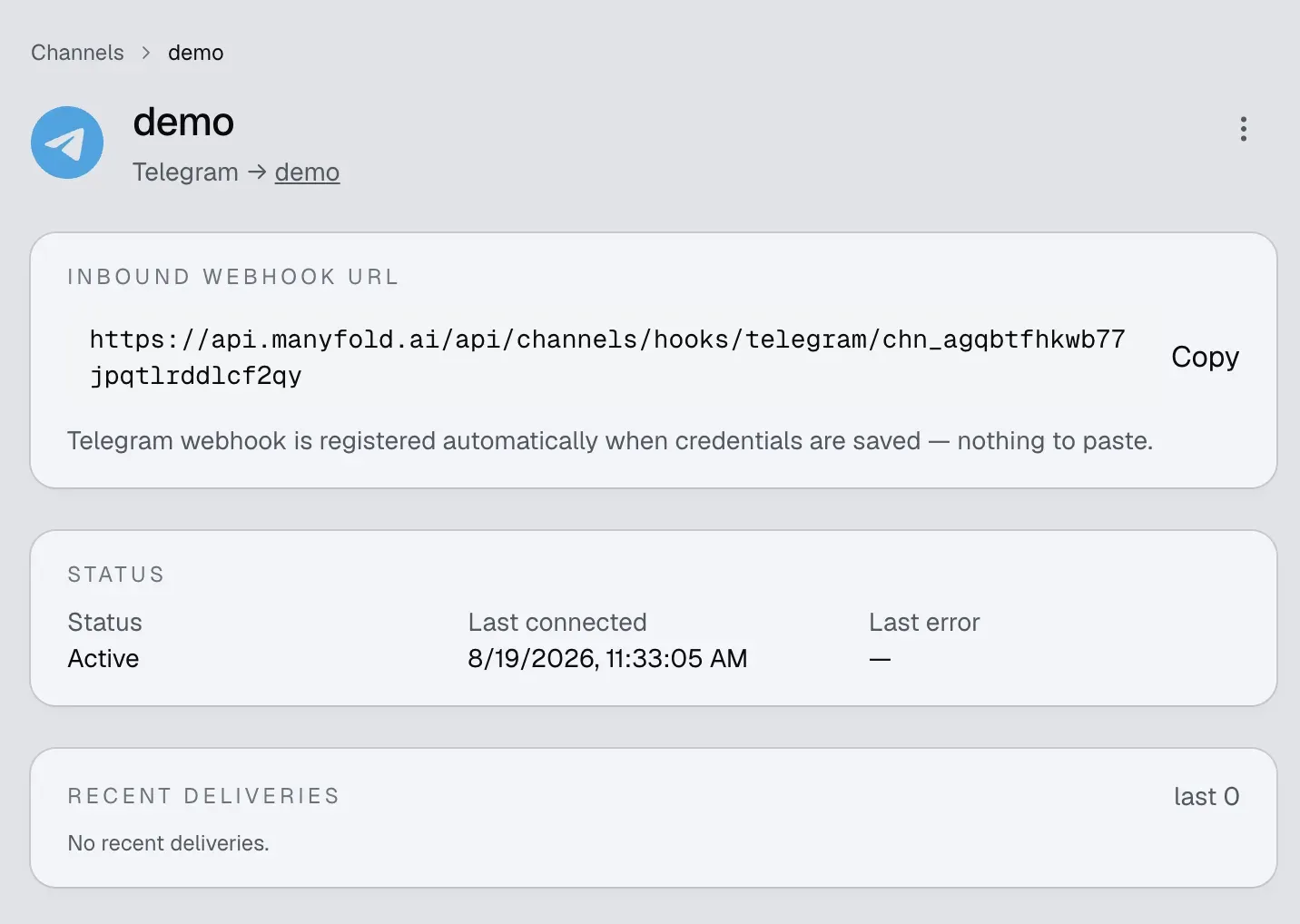
Manyfold 会自动:
- 生成 webhook secret;
- 向 Telegram 注册该渠道的 inbound URL,并使用 Telegram secret-token header 校验每个请求;
- 只接收 message 和 edited message webhook update,并丢弃注册时已经 pending 的 update;
- 尝试把所有受支持命令注册到 Telegram 命令菜单。菜单注册失败只会返回 warning,不影响聊天或文本命令。
更新 token 或重新运行渠道注册后,webhook 和命令菜单都会刷新,不需要在 BotFather 中手动填写 inbound URL。
对话行为
- 私聊按 Telegram 用户分别保存 session。
- 群聊默认按用户隔离;开启 Share session in channel 后,全群共享一个 session。
- 开启 Thread isolation 后,论坛话题使用稳定的 Telegram topic ID。论坛话题之外,回复按它直接引用的消息划分 scope,bot 也回复该消息;不要假设任意多层回复链会共享同一个 session。
- 已识别的 slash command 无需 @mention,包括 Telegram 生成的
/list@YourBot形式。 - Telegram 没有 sender allowlist 或 operator-user 设置。任何能联系 bot 的用户都能运行已识别命令,包括
/model等 Agent 级命令;应相应限制 bot 和群组访问。 - 编辑后的文本消息会作为新的 inbound event 处理。纯媒体消息会被忽略;带 caption 的媒体只处理 caption,不附加媒体文件。Mention-only 群组中的 caption 必须显式 mention bot。
- 超过 4,000 字符的回复会拆成多条;代码围栏会在各 chunk 中保持配对,Markdown 表格会包成文本,避免 Telegram 破坏布局。
- Preview 模式先发送
thinking…,Agent 工作时持续编辑;最终编辑失败时回退为一条新消息。
完整的 /new、/list、/switch、/stop、/model、/usage 等命令见切换 Session。
从 Agent 主动发送
Agent 可以使用 mf channels send 发起 Telegram 私聊、向群组或 topic chat ID 发消息、回复已知 Telegram 消息,并显式上传最多四个 workspace 文件。这不会改变上面的 inbound 媒体支持范围,也不会让普通回复中的文件链接自动上传。target ID、命令示例、delivery 返回、重试与限制见从 Agent 主动发送。
设置
| 设置 | 建议 |
|---|---|
| Mention only | 群聊建议开启。只有关闭 Telegram Group Privacy 后才应关闭它;私聊不受影响。 |
| Shared session | 默认关闭以按用户隔离上下文;只有明确希望全群共享对话时才开启。 |
| Thread isolation | 论坛话题或大量使用回复链的群组建议开启。 |
| Progress mode | Preview 更新一条实时消息;Activity 还会显示工具/思考活动;Final 只发送最终答案。 |
| Send message context | 建议开启,让 Agent 获得 sender、chat、thread 和 message ID。 |
resetOnIdleMins(API) | 设置静默多少分钟后自动开启新 session;留空或设为 0 表示关闭。 |
验证
在渠道详情页运行 Test。健康结果会确认 bot 身份、检查 Telegram webhook 是否指向当前渠道,并显示 pending update。最近 5 分钟内的投递错误会让测试失败;更早的 Telegram 错误会作为 stale 信息显示,直到成功投递后被清除。Test 不验证可选命令菜单是否注册成功。
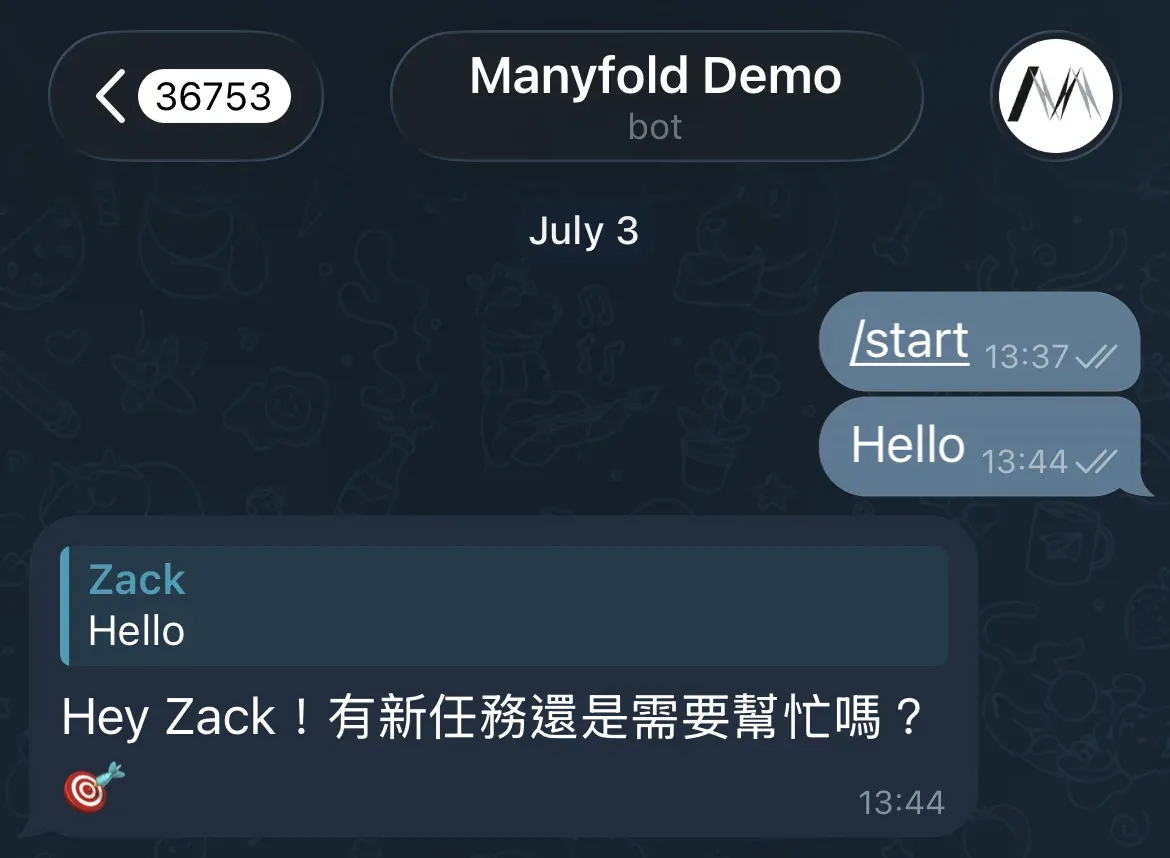
然后测试实际需要的路径:
- 给 bot 发送私聊文本。
- 如需群聊,加入 bot 后发送
@BotUsername hello。 - 运行
/help,确认命令菜单和处理器都正常。
排查问题
- Token 测试失败:在 BotFather 中撤销或重新生成 token,更新渠道后重新注册。
- Webhook URL 不匹配:重新运行渠道注册。使用同一 token 的其他服务可能替换了 webhook。
- 私聊正常但普通群消息不到达:@mention bot,或关闭 Group Privacy 后重新把 bot 加入群组。Telegram 可能会投递对 bot 的直接回复,但只有 reply relation 仍不会通过 Manyfold mention gate。
- 群消息已到达但被忽略:在普通文本、media caption 和回复中 @mention 准确的 bot 用户名,或关闭 Mention only。
- 回复进入错误的对话:为论坛话题或直接消息回复开启 Thread isolation,并检查 Share session in channel。
- 命令菜单缺失:文本命令仍可使用。重新运行 registration,并检查结果中是否有
setMyCommandswarning。 - 注册后旧消息消失:registration 会主动丢弃当时已 pending 的 Telegram update,避免旧消息启动 Agent turn。
- 某个用户意外执行了
/model:Telegram 没有 operator list;请限制谁能联系 bot 或加入群组。 - 图片或文件被忽略:Telegram 渠道目前不下载媒体。请把关键信息作为文本发送,或改用 Slack、Lark/飞书、Discord 的文件能力。
- 广播频道 post 被忽略:Telegram
channel_postupdate 不在该 provider 支持的 IM 范围内。